Categories
Categories
AI
Audio & Video
Games
System Tools
Design & Photo
Mobile Phone Utilities
Developer Tools
Business
Internet Tools
Education
Communication
Antivirus & Security
Theming
Productivity
Lifestyle
General
Windows
Mac
Windows
Log in / Sign up
Windows
›
Design & Photo
›
Viewers & Editors
›
PhotoImpact
PhotoImpact
13.0
Trusted
Download
163 MB
PhotoImpact
13.0
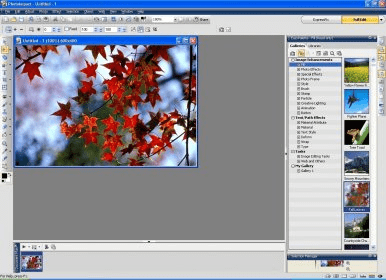
Photo editor with various features for both experienced and inexperienced users
4.3
64
votes
Your vote:
Latest version:
13.0
See all
Developer:
Corel
Review
Download
Comments
(1)
Questions &
Answers
(3)
Share
Facebook
Twitter
Telegram
WhatsApp
Linkedin
Copy link
1 / 5
Awards (2)
Show all awards
Shareware
Used by
104 people
Trusted
Download
163 MB
Edit program info
Info updated on:
May 30, 2025
Software Informer
Download popular programs, drivers and latest updates easily
Comments
(1)
Thank you for rating the program!
Please add a comment explaining the reasoning behind your vote.
4.3
64 votes
45
4
7
4
4
See all comments
Your vote:
Notify me about replies
Comment via
Facebook
R
Raton parves
verynice
22 days ago
Was it helpful?
yes
(0)
no
(0)
|
Reply
C
Colfax
My old activation number doesn't work. It did about a year or two ago. Did their servers ever die. Any recommendations?
Dec 9, 2024
Was it helpful?
yes
(0)
no
(0)
|
Reply
R
Robert Pacheco
Been using this program well before Ulead took over. Maybe 15 years now. Love it. So much better for my use than Photoshop.
Nov 7, 2024
Was it helpful?
yes
(1)
no
(0)
|
Reply
Extensions
.bmp
Ulead PhotoImpact Image
.jpg
Ulead PhotoImpact Image
.png
Ulead PhotoImpact Image
.ab3
Album Thumbnail
.tif
Ulead PhotoImpact Image
Recent downloads
ZebraDesigner
SketchUp Viewer
CARIS Easy View
MediBang Paint Pro
CytoSpec
PSIM
Brother P-touch Editor
Trapcode Particular
ArcSoft PhotoImpression
Latest updates
Horoscope Explorer 4.1
MicroType 4.3
NVMS-1000 3.4
Stellar Data Recovery Free for Windows 12.2
Auslogics Disk Defrag Ultimate 4.1
GALILEOS Viewer 1.9
Hidden Expedition Devils Triangle 3.0
CloudCompare 2.7
Stellar Splitter for Outlook 10.0
Top





Comments (1)